If you’ve ever worked in a government department or dealt with official communication in the Indian Income Tax ecosystem, chances are you’ve come across the term Webmail Income Tax. For many, accessing government email portals feels like entering a maze of configurations, settings, and protocols.
I remember my first attempt at setting up the income tax webmail, navigating through Outlook settings, selecting IMAP, entering secure ports, and wondering if I’d ever get it right. And then comes the bigger question: is it safe to use?
As digital communication becomes the backbone of official correspondence, platforms like webmail.incometax.gov.in are more relevant than ever. But with increasing phishing attacks, data leaks, and unauthorised access threats, safety becomes a concern.
This article walks you through everything you need to know about the Webmail Income Tax portal, from what it is, how it works, how to access it safely, and who to contact when things go wrong.
What Is Webmail Income Tax and Who Can Use It?
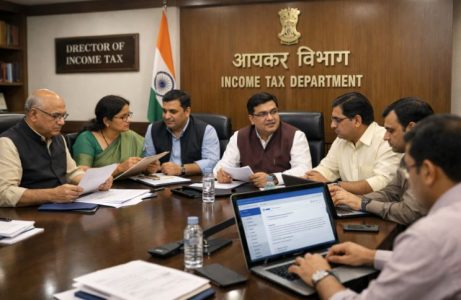
The Webmail Income Tax portal is a secure, government-managed email system intended for official communication within the Income Tax Department of India. It operates under the domain webmail.incometax.gov.in and is restricted to authorised personnel only.
This platform is not for the general public or regular taxpayers. Instead, it’s primarily used by:
Who Uses Webmail Income Tax?
- Income Tax Department (ITD) officials
- Government-authorised personnel involved in taxation
- Regional Computing Centres (RCC) administrators
- Helpdesk and support teams managing I-T operations
This email platform ensures internal and external communication on tax matters remains encrypted, traceable, and secure, without relying on third-party email providers like Gmail or Yahoo.
Key Features
- Only accessible to authorised users via login credentials
- Configurable on desktop email clients like Outlook and mobile devices
- Uses standard IMAP and SMTP settings for sending and receiving emails
- Operates under secure SSL/TLS encryption protocols
Its role becomes more crucial in today’s digital tax ecosystem, offering a centralised communication hub for critical updates, case files, notices, and administrative tasks.
Is The Webmail Income Tax Portal Secure For Official Use?
Yes, the Webmail Income Tax portal is built with strict security protocols and is considered safe for official government communication. Being hosted on a government-controlled server and protected by multiple layers of encryption, it complies with the Indian IT Act and internal security standards.
Security Features At A Glance
| Feature | Details |
| Encryption | SSL/TLS used for both incoming and outgoing mail |
| Login Authentication | Username-password based, with restricted access |
| Server Location | Hosted within Indian government infrastructure |
| Client Configuration | IMAP and SMTP ports secured by SSL |
This controlled access makes it difficult for any external agent to infiltrate or compromise communication within the Income Tax Department.
Moreover, by avoiding third-party servers, it significantly reduces the risk of email data being mined or misused. Each user is assigned credentials by the RCC or central authority, and IT support is provided by designated helpdesks.
How To Log In To The Webmail Income Tax Portal Correctly?
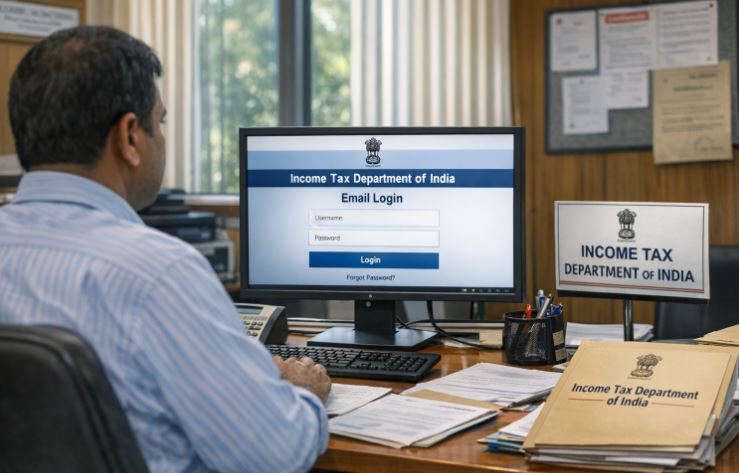
Accessing the portal is straightforward, but it must be done with caution and using the official site: webmail.incometax.gov.in. Users need an official email ID and password assigned by the department.
Step-By-Step Login Guide
- Visit the portal using a supported browser
- Enter your assigned username and password
- Click on Sign In
- If credentials are correct, you’ll be redirected to your inbox
Common Issues And Fixes
- Wrong Credentials: Recheck the spelling and ensure the CAPS lock is off.
- Browser Issues: Use updated versions of Chrome or Firefox.
- Expired Passwords: Contact your RCC Admin for reset assistance.
Always avoid accessing the portal from public or unsecured networks. Use departmental devices whenever possible to ensure network security and prevent session hijacking.
How To Configure Webmail Income Tax In Outlook Via TAXNET?
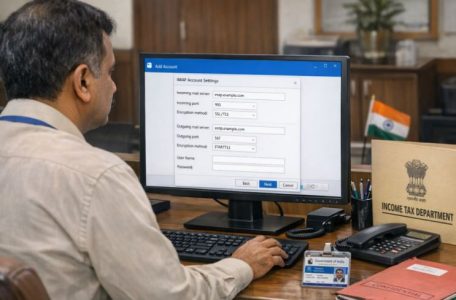
For those using desktop environments within the government infrastructure, Outlook configuration over TAXNET allows smooth integration of Webmail Income Tax with daily work tasks.
Pre-Requisites
- Microsoft Outlook must be installed
- Use only the IMAP account type
- Incoming and outgoing server must be: webmail.incometax.gov.in
Detailed Configuration Steps
- Open Outlook and go to Tools > Account Settings
- Click New and check the option for Manual Setup
- Choose Internet Email and click Next
- Fill in:
- Name
- Official email address
- Account type: IMAP
- Incoming server: webmail.incometax.gov.in
- Outgoing server: webmail.incometax.gov.in
- Enter credentials and click on Test Account Settings
Two tasks will be verified:
- Login to the incoming server
- Sending of a test email
Once completed, go to More Settings > Outgoing Server and enable SMTP authentication.
Finally, click Next and finish the setup.
Can Webmail Income Tax Be Accessed On Mobile Devices Like Android Or IOS?
Yes, configuring Webmail Income Tax on mobile devices allows access on the go, especially for officials who need immediate updates or are working remotely.
Steps To Configure On Android Devices
Initial Setup
- Open your device’s email client
- Select Other Account
- Go to Settings > Add Account
IMAP Configuration
| Setting | Value |
| IMAP Server | webmail.incometax.gov.in |
| Port | 993 |
| Security Type | SSL/TLS (Accept all certificates) |
| Username | Your official email ID |
| Password | Your login password |
SMTP Configuration
| Setting | Value |
| SMTP Server | webmail.incometax.gov.in |
| Port | 465 |
| Security Type | SSL/TLS (Accept all certificates) |
| Requires Sign-In | Yes |
Once these steps are completed, set the email frequency and account name, and your mail client should start syncing.
Why Is IMAP Protocol Used For Webmail Income Tax Configuration?
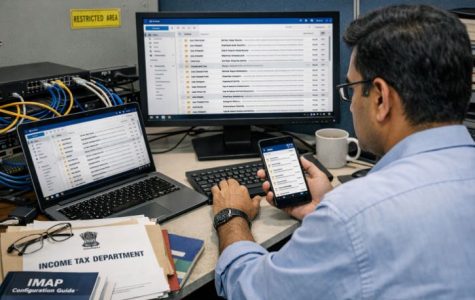
IMAP, which stands for Internet Message Access Protocol, is the recommended protocol for Webmail Income Tax configuration. It offers several advantages over POP3, especially in an enterprise environment.
Why IMAP Is Preferred?
- Keeps emails on the server for multi-device access
- Supports real-time syncing between devices
- Allows folder and message structure to be mirrored
- Reduces the chance of data loss due to local device failure
In government departments where one official may access the same mailbox via Outlook and mobile, IMAP ensures seamless communication continuity.
POP3 Vs IMAP Comparison
| Feature | POP3 | IMAP |
| Email Storage | Downloads to device | Remains on server |
| Multi-Device Support | Limited | Full |
| Folder Synchronisation | Not supported | Fully supported |
| Recommended For Webmail | No | Yes |
Using IMAP ensures all communication remains in sync, helping officials track conversations and records efficiently.
Where To Get Help For Webmail Income Tax Configuration Or Login Issues?
When issues arise during login or configuration, users can contact the Helpdesk or the relevant Regional Computing Centres (RCC) for support. These teams are trained to handle account lockouts, password resets, and configuration failures.
Central Helpdesk Contact
- Phone: 011-69134300
- Email: itba.helpdesk@incometax.gov.in
RCC Admin Offices
There are dedicated RCC Admin contacts in every zone, including major cities such as Mumbai, Delhi, Chennai, Bangalore, Hyderabad, and Kolkata.
They can be reached via their official government email IDs or contact numbers. Each office manages configuration queries and user support within their jurisdiction.
Ensure that queries are sent using your official email ID, with a clear subject line and brief description of the issue to enable quicker resolution.
How To Ensure Smooth Webmail Income Tax Access Across Outlook And Mobile?
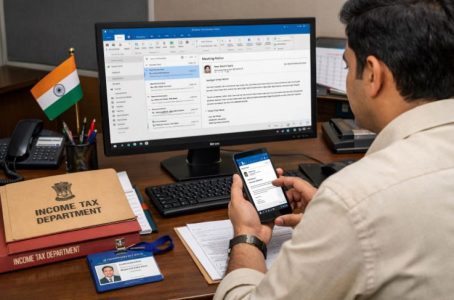
To ensure seamless usage of Webmail Income Tax across devices like Outlook and smartphones, it is important to follow correct configurations and security best practices.
Tips For Reliable Access
- Use Updated Applications: Always use updated versions of Outlook and your mobile’s email client to avoid compatibility issues.
- Save Settings Securely: Make note of IMAP and SMTP settings, and store passwords in a secure password manager.
- Avoid Public Networks: Access the email on secure, private networks to prevent data breaches.
- Check Sync Frequency: On mobile, set the frequency to auto-sync or scheduled fetch to keep communication real-time.
- Perform Regular Tests: Use Outlook’s Test Account Settings or mobile sync checks to ensure smooth operation.
Ensuring all of the above will minimise disruptions and improve the reliability of your communication.
Conclusion
The Webmail Income Tax portal is not just another email system but a critical infrastructure in India’s tax administration network. It provides a secure, stable, and flexible platform for government officials to manage their official communications.
From its Outlook integration to its mobile accessibility, the platform caters to the evolving needs of its users while prioritising security and efficiency.
Whether you’re configuring your account for the first time or troubleshooting access issues, this guide should give you a clear roadmap. Remember, security is a shared responsibility, and adhering to official setup procedures is the first step in keeping your communication safe and uninterrupted.
FAQs
What should I do if I forget my Webmail Income Tax password?
You should immediately contact your local RCC Admin or the central helpdesk to reset your credentials.
Can taxpayers use the Webmail Income Tax portal?
No, the portal is strictly meant for authorised government personnel within the Income Tax Department.
Why is IMAP recommended over POP3 in Webmail Income Tax configuration?
IMAP allows syncing across multiple devices, which is essential for officials accessing emails from various platforms.
Is mobile access to Webmail Income Tax secure?
Yes, provided SSL/TLS encryption settings are correctly applied and access is limited to secure networks.
How often should I update my Webmail Income Tax credentials?
As per internal guidelines, it is advisable to update passwords every 60 to 90 days for security.
What devices support Webmail Income Tax email setup?
The portal supports configuration on Outlook, Android, iOS, Windows, and Blackberry devices.
Can I access Webmail Income Tax outside government networks?
Yes, with the correct IMAP/SMTP settings and secure connection, it can be accessed on the internet and mobile devices.